Build agents for every customer workflow.
Create specialized phone agents for sales, support, collections, reminders, feedback, and operations. Configure prompts, voices, accents, welcome messages, timezone context, and call behavior from one builder.
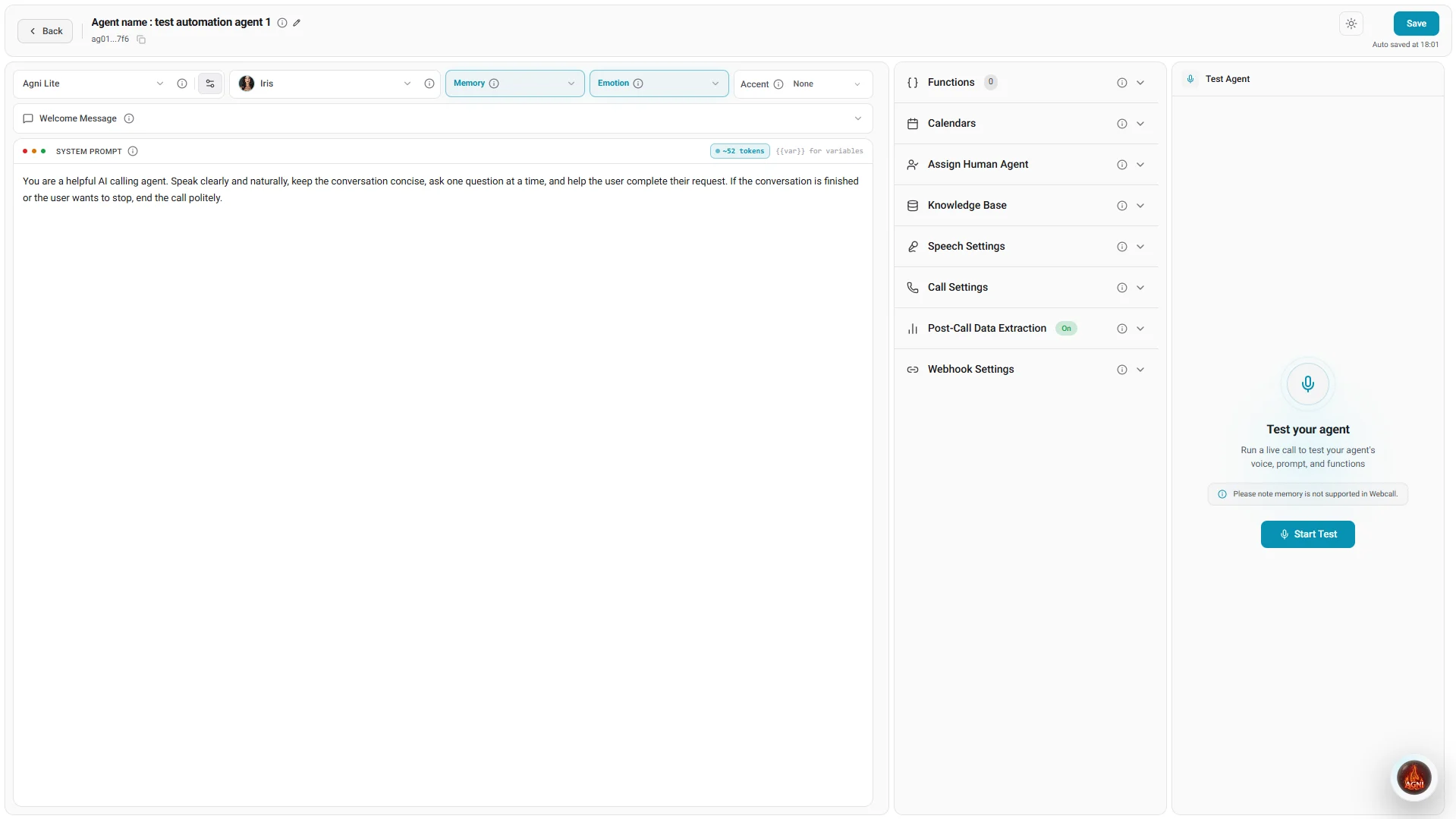
Illustrative product view
Every behavior, configured per agent.
Each agent is its own operational unit. Set how it speaks, what it says first, how it handles interruptions and silence, and what data every call should produce.
Prompt configuration
Thunder Emotion voice library
Welcome messages & timezone context
Call behavior controls
Memory across calls
Post-call analysis configuration
Test agents safely before they speak to real customers.
Every agent can be tested with live web calls from the browser before it touches a phone number. Iterate on prompts and behavior, review transcripts, and only then move the agent to production.
- Run live web calls from the browser — no phone number or telephony setup required
- Iterate on prompts, voices, and behavior, then re-test in seconds
- Keep agents in draft until they pass review; nothing reaches customers by accident
- Manage active and inactive agents from one dashboard as workflows change
When the agent is ready, deploy it to inbound numbers or outbound campaigns.
Agents are more than a script.
The builder is where each agent starts — knowledge, tools, and analytics make it operational.
Connect knowledge bases
Attach tools & functions
Review every conversation
Agent builder questions, answered.
How many voices are available?
What functions can an agent perform during a call?
What is the AI temperature setting?
What is the Memory toggle?
More questions? Read the full FAQ or talk to sales.
Build your first agent this week.
Walk through the agent builder with our team — prompts, voices, testing, and deployment on a live use case from your own workflows.